
What your clients can do in a gallery
Favorites, passes, stars, notes, the slideshow, sharing and downloads, from your client's side.
Here's what your client sees and can do once they're in.
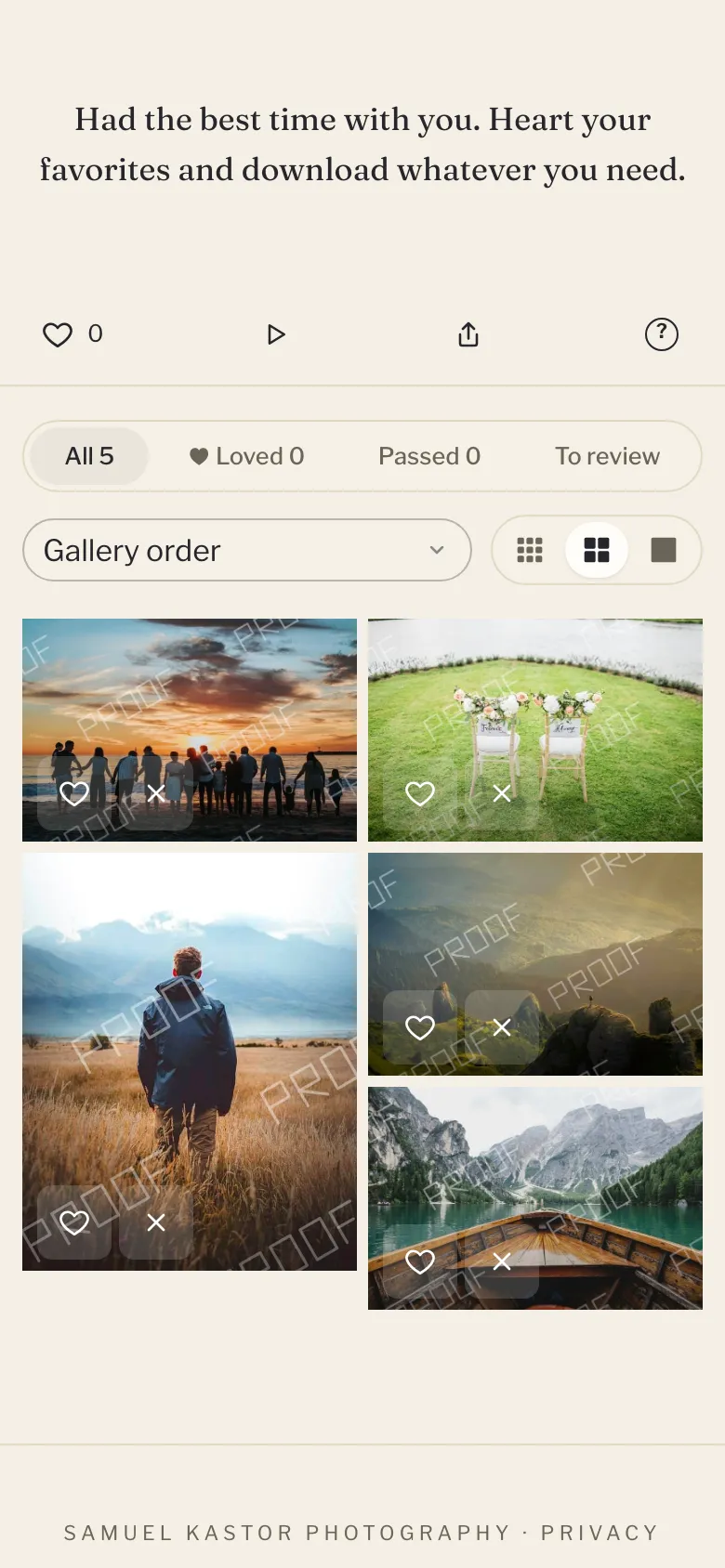
Browse
- The cover and title, then your welcome note.
- Scene tabs, if you've set scenes.
- A size control to show photos small, medium or large. Their choice is remembered on that device.
- Click any photo to open it full screen. Arrow keys move between photos and Escape closes it.
- Share sends the gallery link, or copies it.
- Help opens a short guide to how the gallery works.
Favorites, passes and stars
On each photo, clients can:
- Love it (the heart). In the full view, press L.
- Pass on it. In the full view, press X.
- Give it 1 to 5 stars. Clicking the same star again clears it.
They can filter to Loved, Passed or To review, and sort by Highest rated first. They can also leave a note on a photo, keep their own lists, and send you their picks. See Client picks, notes and lists.
All of this needs an email on the gallery (see Email capture and passwords).
Videos, GIFs and RAW files
- Videos show with a play mark and their length. Clients open one to watch it, streamed at up to 1080p. See Videos in galleries.
- Animated GIFs animate when opened, and their tiles say GIF.
- RAW files show the preview built into the file, and their tiles say RAW. See RAW files.
Slideshow
Click Slideshow. Photos change every 4 seconds. Space pauses and plays.
Downloads
Open Download to pick a size and download everything as a zip:
- Web & social (2048px)
- High resolution (4096px)
- Original (full res), if you allowed originals
Which sizes show depends on your download settings (see Download rules and the download PIN). If the gallery has a download PIN, they type it once first. Videos aren't included in the zip.
Big galleries download in parts, chosen from a list. The first download of a part can take a minute or two to prepare. Clients who loved photos also get a button to download just those, and one for each of their lists.
To download one photo, they open it and pick a size.
On iPhone and iPad, downloads go to the Files app. Clients can also tap Save to Photos on a photo, or save the ones they loved to Photos (up to 20 at a time).
When there are no downloads
If downloads are locked until the balance is paid, or the gallery is set to proofing, photos show as watermarked proofs and there's no Download button. See Lock downloads until the balance is paid and Proofing and your watermark. If you sell downloads, a Buy button shows instead (see Sell photo downloads).
Expiry
If the gallery has an expiry date, the bottom of the page says when it's available until.