
Your link-in-bio page
A simple page of buttons for your Instagram or TikTok bio, made from what's already on your site.
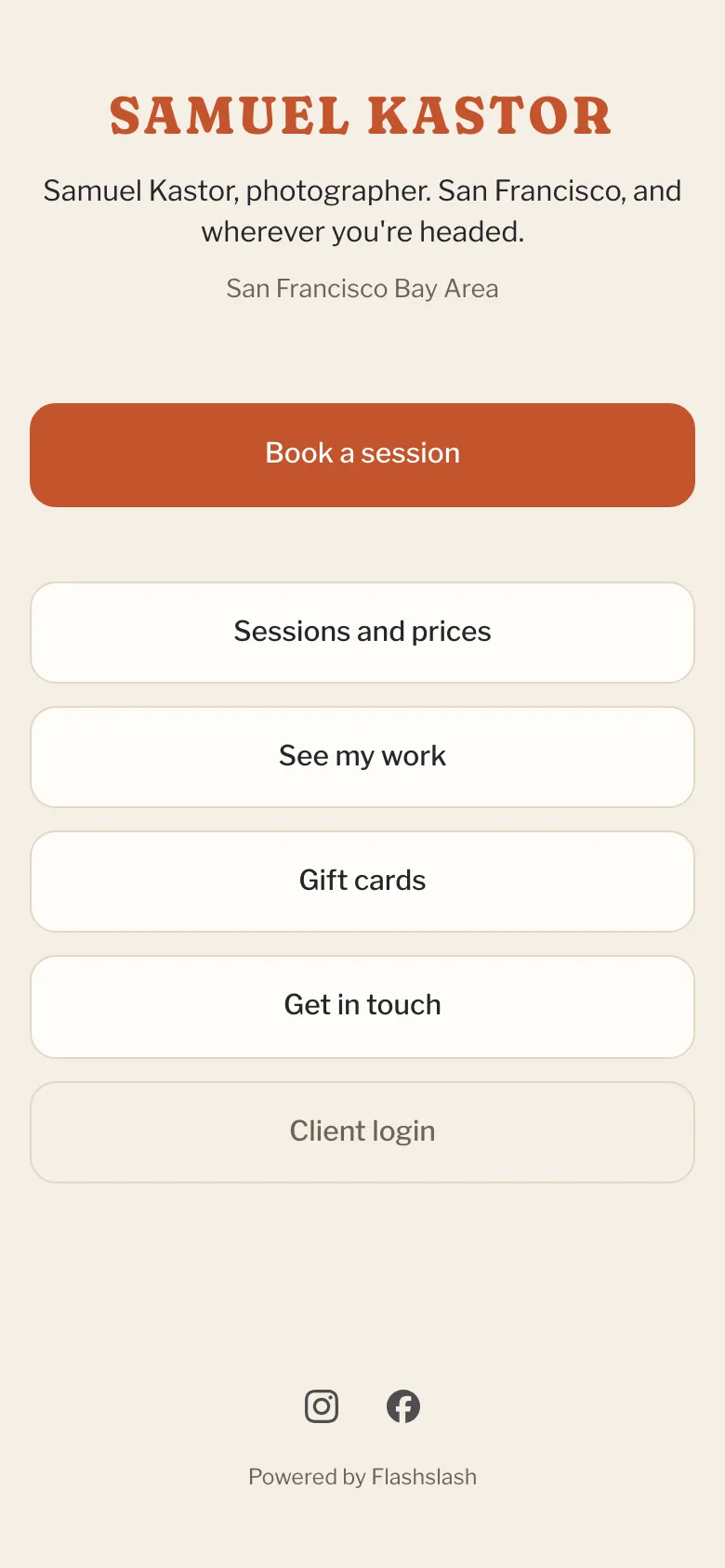
Your site includes a link-in-bio page, made for the one link Instagram and TikTok let you put in your bio. It's your website address followed by /links, and it uses your website's colors.
Get the link
Open Website > Design. Near the top, click the copy button next to Link in bio. Paste it into your Instagram or TikTok profile.
What's on it
You don't set it up separately. It's built from what you already have:
- Your logo, the small byline from your homepage Opening and Where you're based.
- Book a session, or Ask about a session if you aren't taking online payments yet.
- A button for each mini session switched on for the homepage that still has open spots, showing how many spots are left.
- Sessions and prices, which opens a list of your packages, each linking to booking it.
- See my work, which opens your portfolio.
- Gift cards, if you sell gift cards online.
- Get in touch and Client login.
- Your social icons, and the Powered by Flashslash line unless you've turned it off.
Changing it
- Logo and where you're based: Site > Logo and name and Site > Contact in the website builder.
- The byline: your homepage's opening section, under Sections in the builder.
- Minis and packages: Packages, and its Mini sessions tab.
- Social icons: Site > Social links in the builder.
Other pages on your site
Visitors also find these pages without you setting them up:
- Gift cards: a page where people buy a gift card, linked from your footer while gift cards are switched on and online payments are set up.
- Blog: added to your menu once a post is published.
- Leave a waitlist: clients reach it from the link in a waitlist email, and click a button to take themselves off.
- Privacy: your privacy notice, linked from the footer and every form. See Your website's privacy page.
Still have a question? support@flashslashapp.com