
Your web address and connecting your own domain
Use your built-in flashslashsites.com address, or connect a domain you own like yourname.com.
Open Website > Web address.
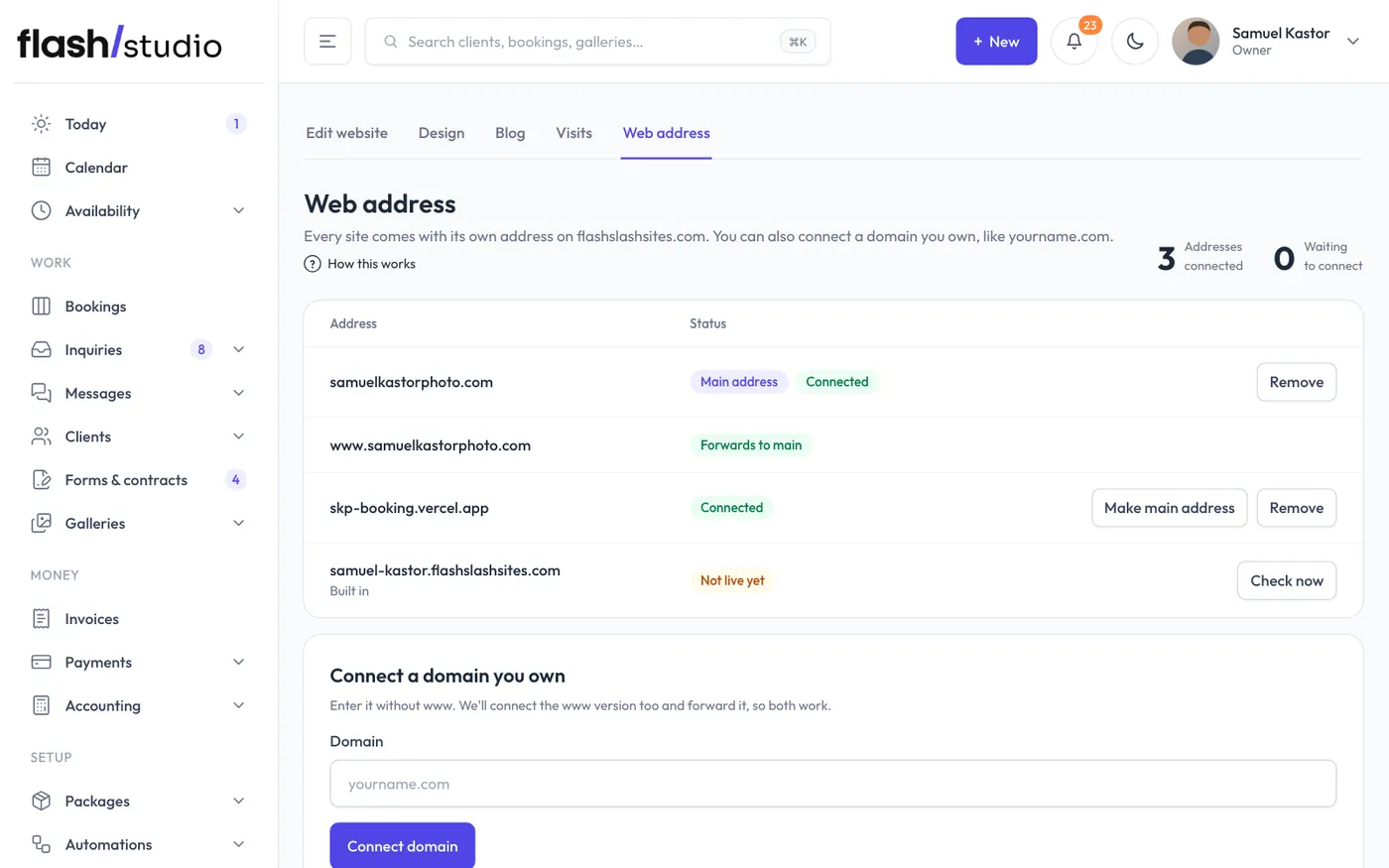
Your built-in address
Every site comes with its own address ending in flashslashsites.com, like yourstudio.flashslashsites.com. It's marked Built in and works from day one. You can't remove it, and if you disconnect your own domain it becomes your main address again.
Connect a domain you own
You need a domain you've already bought, from a company like GoDaddy, Squarespace, Namecheap or Cloudflare.
- Under Connect a domain you own, type it in the Domain box, like yourname.com. If you type www.yourname.com or paste a full web address, Flashslash uses yourname.com.
- Click Connect domain. Flashslash adds both yourname.com and www.yourname.com, so both work. The www address forwards to the other one.
- Each address gets its own Set up box with the DNS records to add, in a table of Type, Name and Value.
- In another tab, sign in where you bought the domain and open its DNS settings.
- Remove any other A or CNAME record with the same name first.
- Add each record exactly as shown. For yourname.com that's usually an A record with the name @, plus a TXT record named _apture that proves the domain is yours. Your site only goes live on the domain once that TXT record is there. For www it's a CNAME record with the name www. Sometimes your host asks for another TXT record too. Add every record shown.
- Back in Flashslash, click Check now beside each address.
Changes usually show up within minutes, sometimes up to an hour. Until then the status says Waiting to connect, with the result of the last check ("Last check: ...") if something isn't right yet. When it says Connected, your site answers on that address. Once connected, the www address shows Forwards to main.
You can also connect a subdomain, like photos.yourname.com. It connects on its own, without a www version.
Your main address
The first domain you connect becomes your Main address, and your other addresses forward to it. To change it, click Make main address on another connected address.
Disconnect a domain
Click Remove beside the address, type the domain to confirm, and click Disconnect. The www version goes with it.