
Choose and switch your website design
Pick a website design, try its live demo, adjust its options and publish it when it looks right.
Your website has a design (the layout, type and colors) and your content (your words, photos, packages and reviews). Your content stays the same whichever design you choose, so you can switch at any time without retyping anything.
The designs
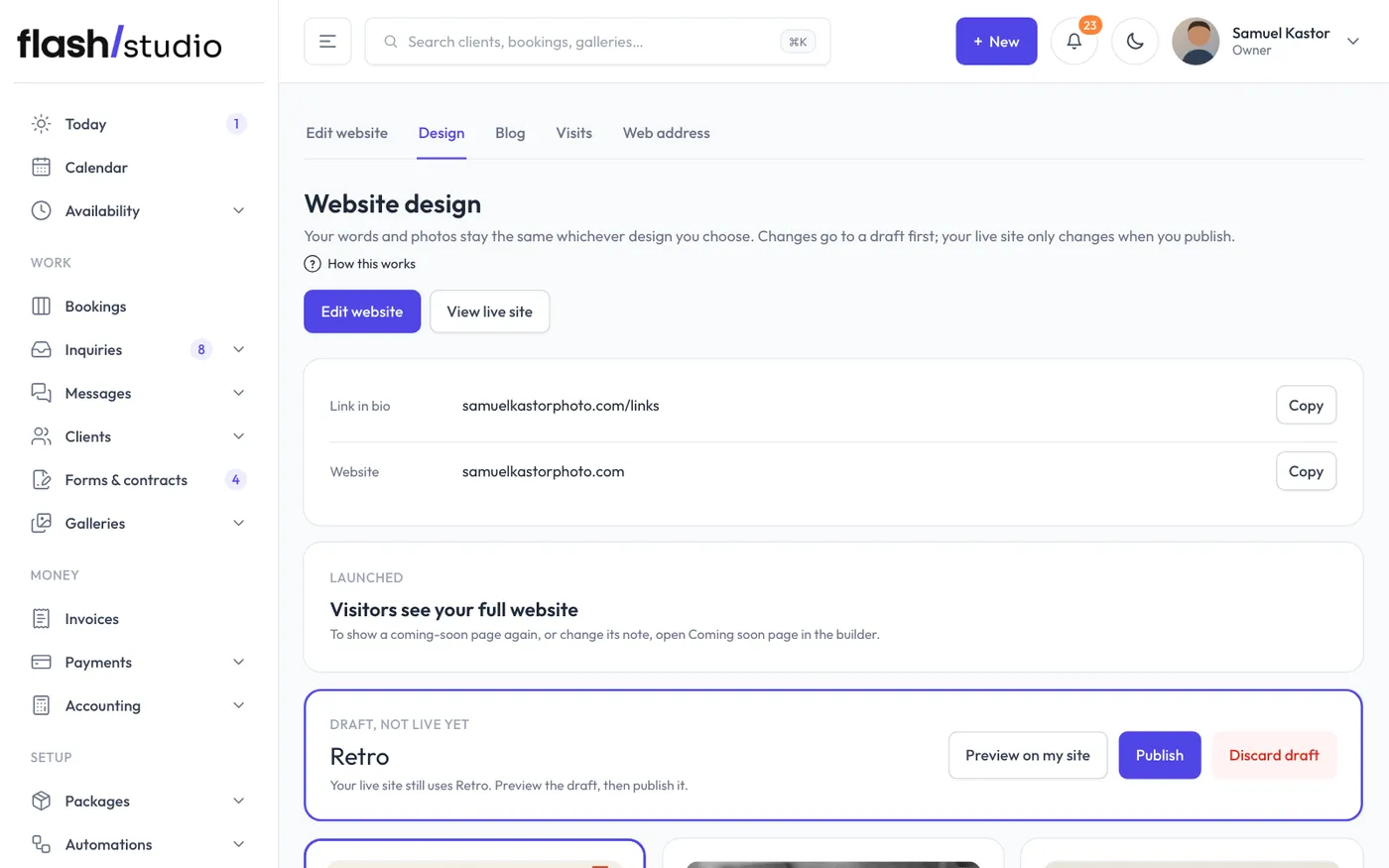
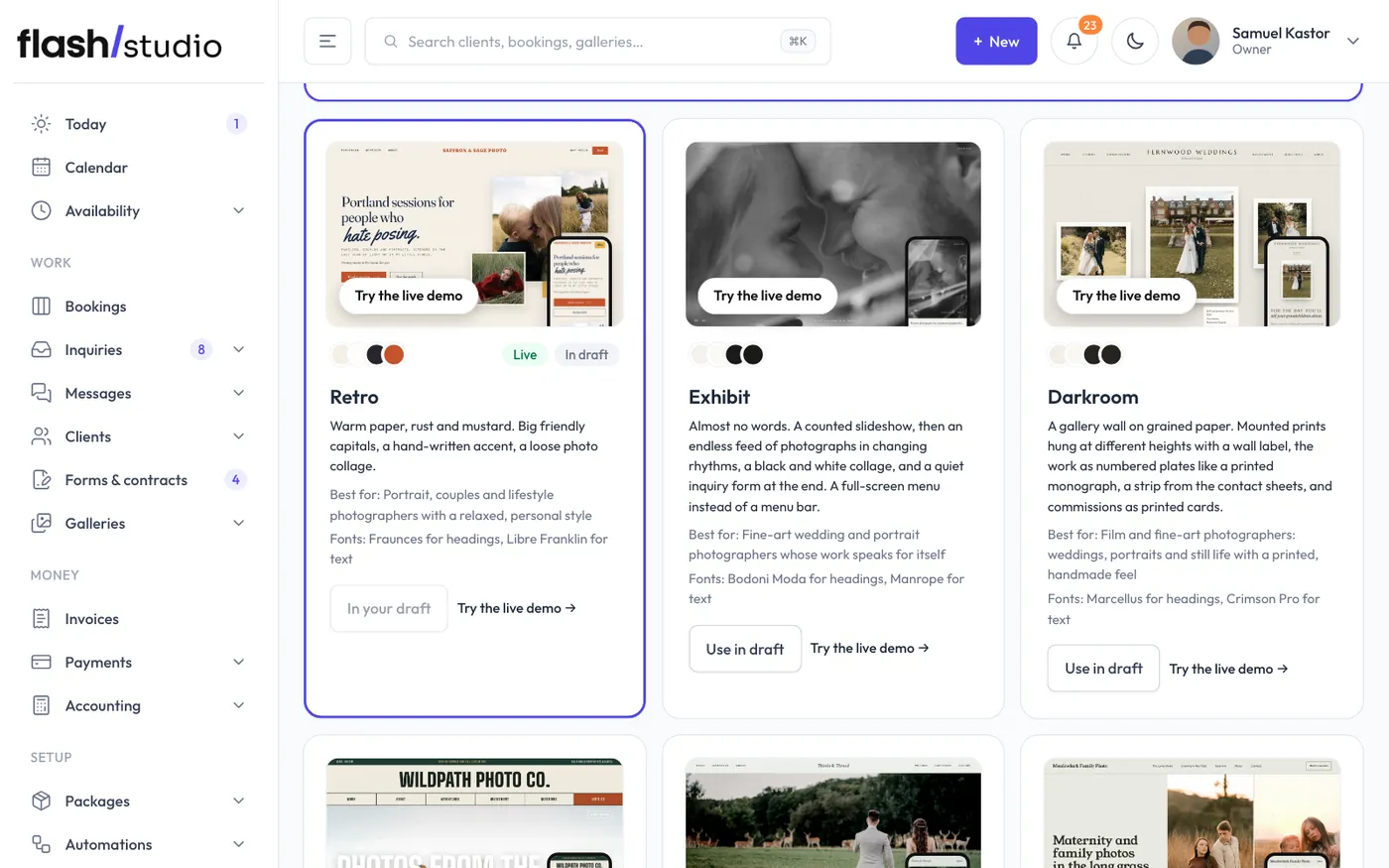
Open Website > Design. The top of the page has Edit website (the builder, for your words, photos and colors), View live site and your Link in bio and Website links to copy. Below them, each design card shows a preview on a computer and a phone, the design's colors, what it is best for and its fonts. Click Try the live demo on any card to open a working example site in that design, with a made-up studio's words and photos.
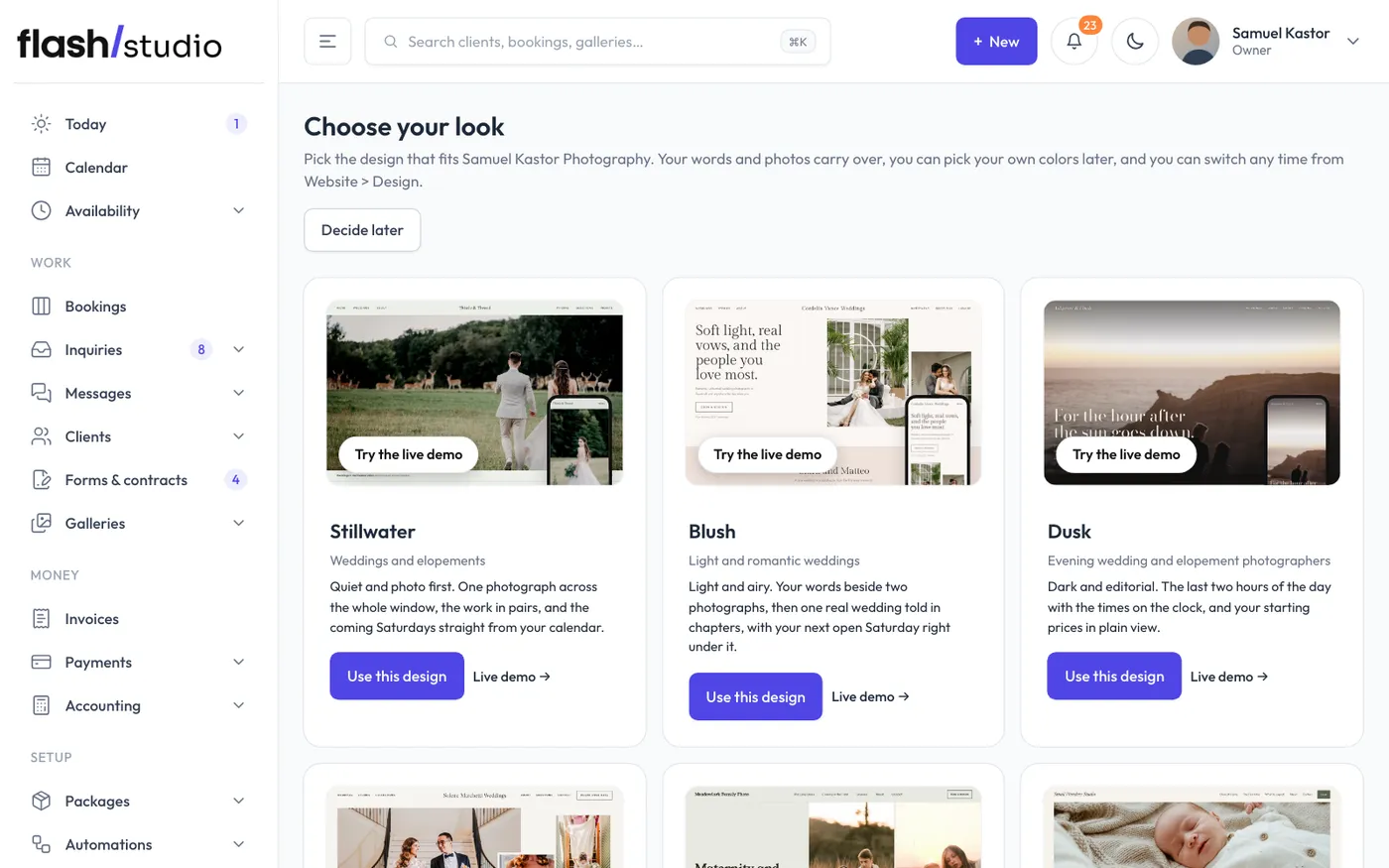
- Stillwater: quiet and photo first, with one photograph across the whole window, your work in pairs and the coming Saturdays straight from your calendar, so couples see right away whether their date is open. For wedding and elopement photographers.
- Blush: light and romantic, with your words beside two photographs and one real wedding told in a few short chapters, with your next open Saturday under it so couples can hold the date in one click. For wedding photographers with a light, airy style.
- Dusk: dark and editorial, one photograph across the window, the evening by the clock and your starting prices in plain view. For wedding and elopement photographers who love the evening.
- Masthead: layered and editorial, with photographs overlapping at different sizes, large faint words behind sections, one real wedding laid out like a magazine spread, and your open Saturdays beside a free 15-minute call. On a phone the layers fall into a clean stack. For wedding photographers with an editorial look.
- Hearth: warm and plain, with a sentence beside two tall photographs, then your sessions as a menu with real prices, deposits and the next opening. For maternity, newborn and family photographers.
- Cradle: light and soft, one wide photograph and your sessions by age, each with its window and a starting price, plus a few plain notes on safety. For newborn and maternity photographers.
- Backyard: bright and candid, with a big photo beside a smaller one, then one family's session told as a story in four moments with the time under each. For family photographers who don't pose people.
- Main Street: friendly and clear, with one big photo and a tile for each kind of session showing its length, starting price and next open time, so every client finds theirs and books it. For photographers who shoot a bit of everything: families, seniors, couples and weddings.
- Headline: plain and confident, with portraits edge to edge, your studio's name set huge and your next mini session day with its open times, so people can pick a time and book right there. For portrait, senior and headshot photographers.
- Sky: bright and friendly, with your sessions as tabs people tap through (price, length, what's included) and your next mini day with the spots left. For senior and portrait photographers.
- Billboard: bold and loud, with your line in huge letters on one strong color, your portfolio categories showing three photos each, sessions with what they include, a part for the parent who pays and your next mini day with its spots left. For senior, headshot and personal brand photographers.
- Retro: warm paper, rust and mustard, big friendly capitals and a loose photo collage. For portraits, couples and lifestyle work. This is the design every new site starts with.
- Darkroom: a gallery wall on grained paper, with mounted prints, numbered plates like a photo book and a strip from the contact sheets. For film and fine-art photographers.
- Trailhead: big, warm and full of personality, with trail-sign type, the places you travel on a scrolling band and big adventure rows. For adventure and elopement photographers.
- Exhibit: almost no words, with a counted slideshow, then a long feed of photographs in changing rhythms and a quiet inquiry form at the end. For fine-art weddings and portraits.
Earlier sites could use other designs: Story, Sunday, Spotlight, Frame, Edition, Works, Evermore, Riviera, Brightside, Postmark, Fetch, Bloom, Editorial and Studio. They're no longer offered, but a site already using one keeps it, and it still shows on that site's Design page until you choose a new one.
Choosing your first design
Right after you sign up, Flashslash shows Choose your look: every design with a preview, who it's made for and a live demo. Click Use this design and it goes straight onto your site. Your site stays behind its coming-soon page until you launch it, so it's safe to try one and change your mind. Not sure yet? Click Decide later; the setup guide on your Today page has a Choose your website design step that brings you back to Choose your look.
Switching designs
- On the design you want, click Use in draft.
- The top card now says Draft, not live yet. Your live site still uses your current design.
- Click Preview on my site to see it with your real content.
- Click Publish to make it live, or Discard draft to throw it away. Discarding leaves your live site as it was. The design's options are in the builder (see below).
Design options
Some designs have a few extra choices. Open Website > Edit website and choose Look on the left:
- Darkroom: the paper (cotton white, oat or charcoal).
- Trailhead: the palette (forest, desert or glacier).
- Exhibit: the background (bone white or near-black).
- Main Street: the palette (sage, clay or evening).
- Masthead: the palette (paper, ink or linen) and the large faint words behind sections (on or off).
- Billboard: the color (cobalt, tomato or forest).
Retro has no extra options.
Some designs also show optional details when you fill them in: what every session includes, the places you work, a booking status line (like "Now booking seniors 2027"), and press mentions. In the builder, click the section that shows them and fill them in under Words; press logos are under Site > Press.
The coming-soon page
New sites start with a coming-soon page switched on, so visitors don't see sample photos while you set up. The card on the same page launches your site, and Edit the note opens it in the builder. See Your coming-soon page.
A one of a kind site
If none of the designs fit, the Want something one of a kind? box at the bottom lets you ask for a custom site, built by hand from $500. Describe what you have in mind and click Request a custom site. You'll get a reply by email.