
Publish a gallery and send it
Make a gallery live, copy its link, and email it to your client and up to 10 others.
A gallery stays a draft until you publish it. Anyone who opens the link of an unpublished gallery sees a "page not found" page.
Publish
Click Publish at the top of the gallery's page. You can also tick Published (clients can open it) on the Settings tab and click Save settings. Either way, the gallery moves to the Live group on Galleries.
The link
The Client link box at the top of every gallery shows its web address.
- Copy link copies it, ready to paste anywhere.
- Open shows the gallery as your client will see it.
- Open in my email app starts a message in your own email app with the link, your client's name, the password (if Flashslash knows it), the expiry date and the download PIN filled in. Edit it however you like before you send.
Send it from Flashslash
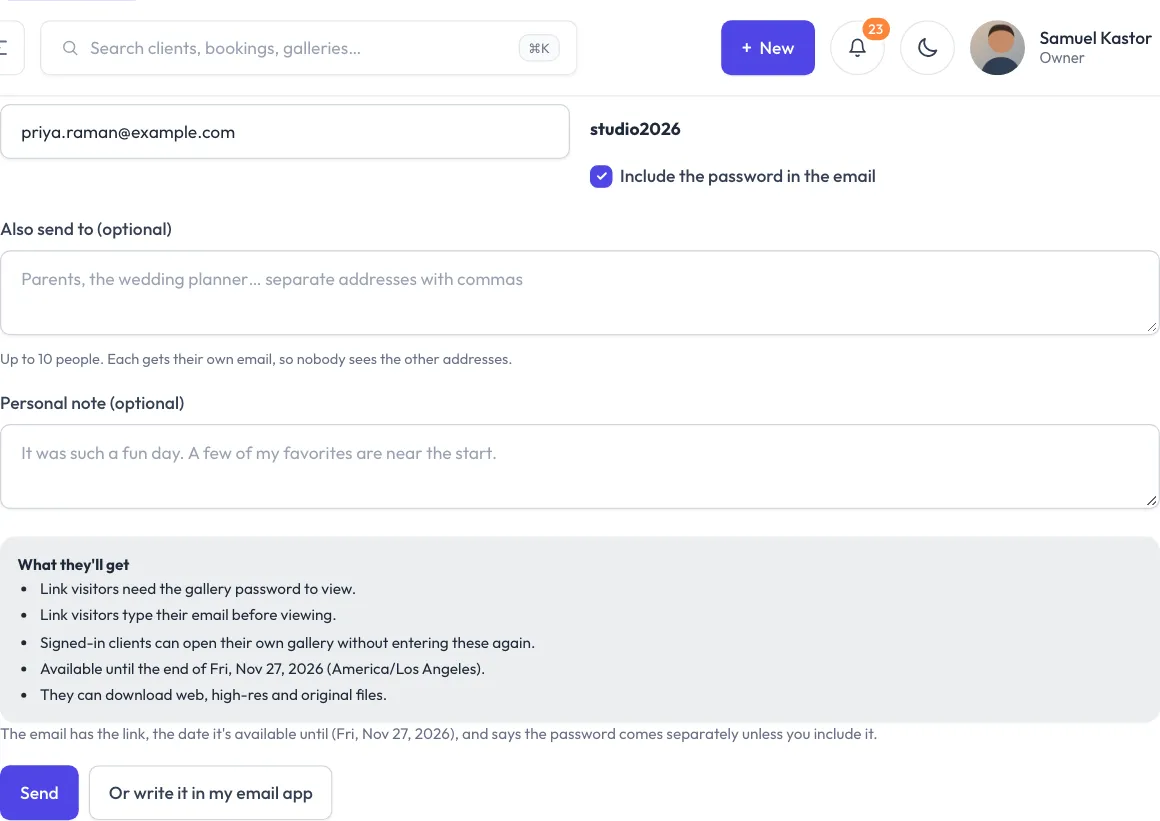
- Click Send to client. On a draft the button says Publish & send to client.
- Check Send to. It starts as the gallery's client email.
- If the gallery has a password, Flashslash shows it. Leave Include the password in the email ticked to send it, or untick it and the email says you'll send it separately.
- Also send to (optional): add parents, the wedding planner or friends, separated by commas. Up to 10 people. Each gets their own email, so nobody sees the other addresses.
- Personal note (optional): goes to your client only, not to the others.
- Click Send (or Publish & send).
The email has a View the gallery button and follows the gallery's settings: the date it's available until, a line about the balance if downloads are locked, the download PIN, and, when the gallery asks for email, a line asking them to heart their favorites (and how many, if you've set a limit).
A draft is published only once the email has really gone. If the email fails, the gallery stays a draft and the message says why. Sending also moves a linked booking to the Delivered stage if it was at an earlier one.
From the booking
On a booking with a gallery, the Email card has a Send the gallery button. It opens the same send form on the gallery.
The client portal
Published galleries show under "Your photos" in your client's portal, for galleries linked to them or to one of their bookings. Expired galleries don't show there.
Knowing when they've looked
The first time each person opens the gallery, you get a notification in the bell. See See favorites, activity and downloads for everything that happens after that.
Taking it offline
Click Unpublish at the top. The link stops working until you publish again. Nothing is deleted.