
Help center / Payments & money
Proposals
Offer a client up to three packages on one page, at your usual prices or a price just for them.
A proposal puts up to three packages side by side on one page for a client. They pick one and go straight to booking, with your contract and deposit as usual. It's good for a wedding inquiry deciding between coverage options, or a brand choosing between half and full day. Only owners and admins can make proposals.
Make one
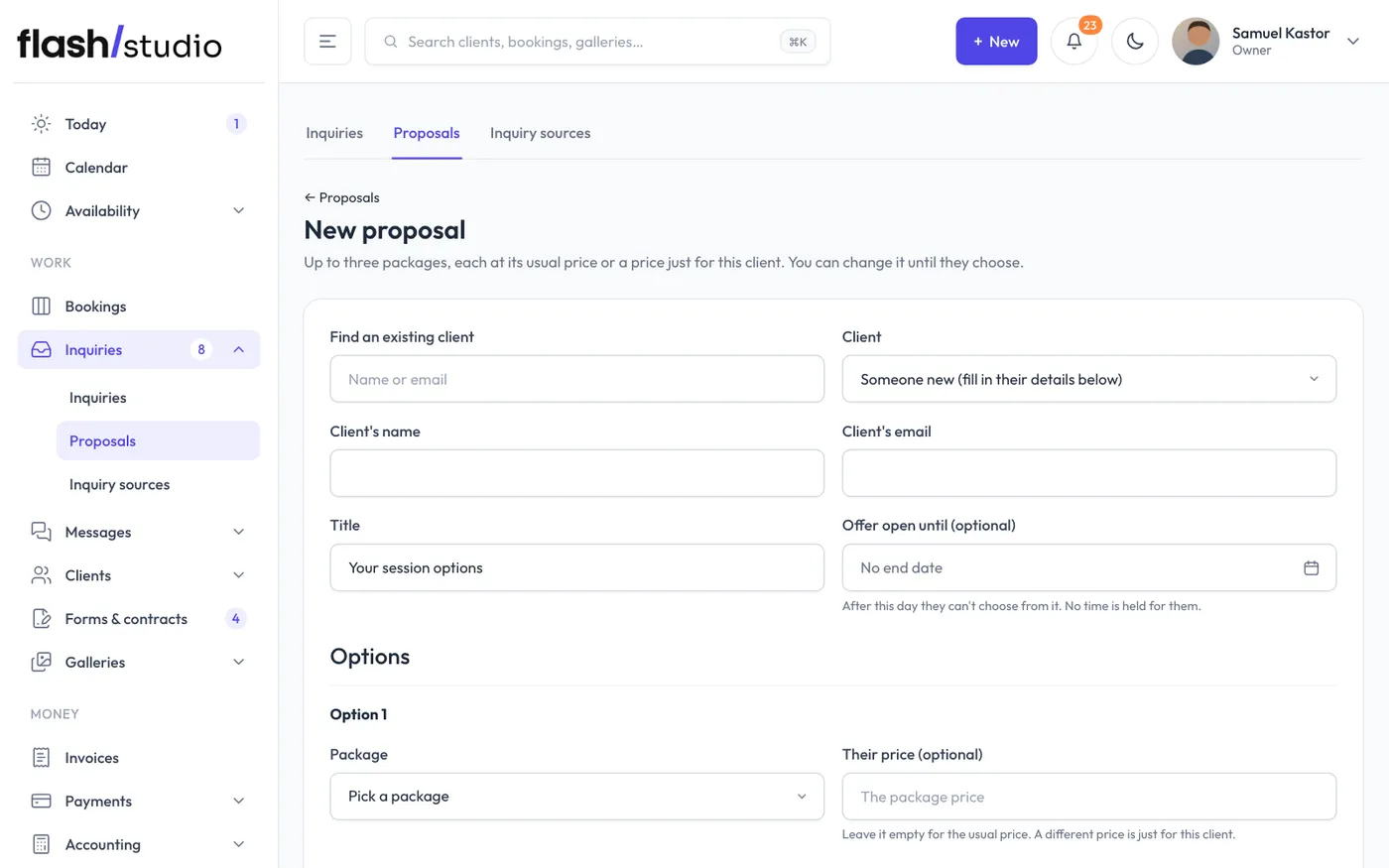
Go to Inquiries > Proposals and click New proposal. From an inquiry, choose Send a proposal instead, and their name, email and session type are filled in for you.
- Fill in the Client's name and Client's email.
- Change the Title if you like. It starts as "Your session options".
- Optionally pick Offer open until. They can choose until the end of that day. No time is held for them.
- For Option 1, pick a package. Option 2 and Option 3 are optional.
- For each option, you can add A line about it, and a price just for this client in Their price (optional). Leave it empty for the usual price.
- Add a Note (optional), like "So good to talk today! Here are the options we went over."
- Leave Email it to the client now ticked to send it straight away.
- Click Create proposal.
A price just for this client
When you type a price that's different from the package's, Flashslash makes a copy of that package at their price, named after them (like "Full day for Sam"). It goes in a package group called Just for one client, which is hidden from your website, so only this client can book it, from their proposal. Its deposit is the package's usual deposit, or the whole price if that's lower.
Everything else, booking, the contract and payments, works as it does for any package. Packages in Just for one client aren't offered when you pick options for a proposal.
What your client sees
The email has your note and a See your options button. Their page shows your note and each option with its name, price, length, the deposit to book, your line about it and the package description. Each has a Choose this button.
Choosing one opens your booking page with that package picked, even if your website only takes bookings by invitation. They pick a time, sign your contract and pay the deposit as usual.
After the end date, the options can't be chosen, and the page tells them to reply to your email.
You get a notification when they first open it, and when they choose an option.
Follow it on the proposal's page
- What they've done: when it was emailed, when they opened it, which option they chose and when, and the end date.
- The options, with their price next to any priced just for them, and chosen on the one they picked.
- The client's page: copy the link or Open ↗ it.
- Email it to the client, or Email it again.
- Close it: the link stops working.
The Proposals list shows each one's status: not sent, sent, opened, chose one, expired or closed.
Change an open proposal
Until your client chooses, you can change anything: who it's for, the options, their prices, the end date and the note.
- Open the proposal and click Change it.
- Make your changes.
- Tick Email them that it's updated if you want them to hear about it.
- Click Save changes.
Their link shows the new version as soon as you save. Once they've chosen an option, or you've closed it, it can't be changed. Make a new proposal instead.
Without Stripe
Proposals still go out, but choosing a package opens an inquiry form instead of booking. See Connect Stripe to take payments.