
Inquiry follow-ups
Get reminded to follow up with people who asked about a session, or let the studio send the follow-ups for you.
Every inquiry gets a follow-up date. When it's due, the inquiry shows as due in Inquiries, on your Today page and in your daily digest.
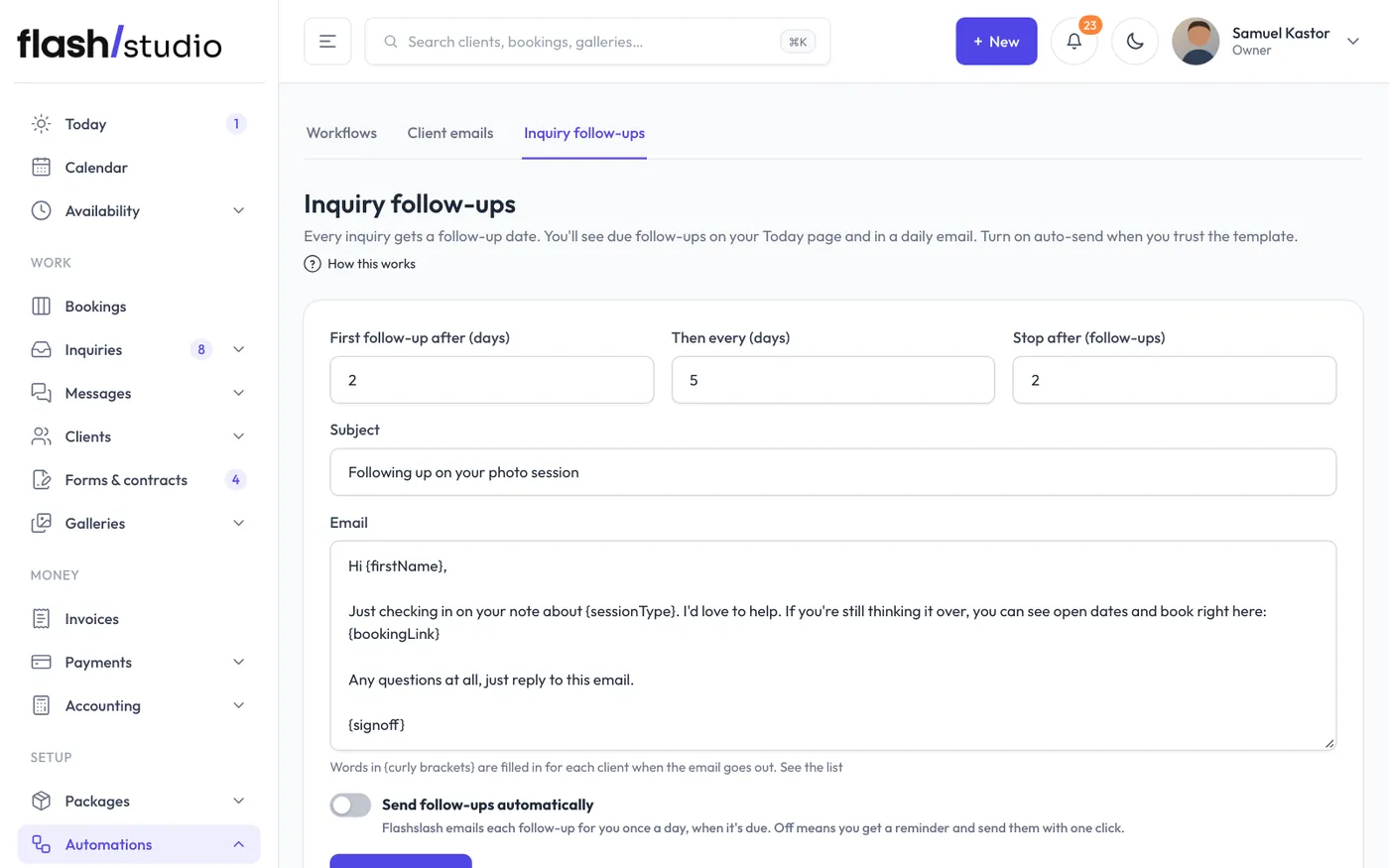
Settings
Go to Automations > Inquiry follow-ups:
- First follow-up after (days): how long after the inquiry the first one is due. Default 2.
- Then every (days): the gap between follow-ups. Default 5.
- Stop after (follow-ups): how many to send before stopping. Default 2.
- Subject and Email: the message.
- Send follow-ups automatically: when on, Flashslash emails each follow-up for you once a day, when it's due. When off, you're reminded and send each one with a click.
Click Save follow-ups.
Words that fill themselves in
Words in {curly brackets} in the subject or email are replaced for each person when it goes out:
- {firstName}: their first name
- {name}: their full name
- {sessionType}: the session they asked about
- {bookingLink}: a link to book
- {signoff}: your sign-off, from Email sign-off in Settings > Studio
Follow-ups count as marketing email, so they include an unsubscribe link and need your studio's mailing address. Add it in Settings > Studio, under Business details. Until you do, automatic follow-ups wait and your daily digest says why.
Sending by hand
On an inquiry that's due, click Send follow-up email (then click again to confirm) to send your template now, or Snooze 3 days to push it back. You can also set Next follow-up to any date, or clear it.
When follow-ups stop
- After the number you set in Stop after.
- When the person books. Their open inquiries with the same email are marked Booked.
- When you mark the inquiry as anything other than new or contacted.
- When the person unsubscribes, or their address stops accepting email.
Sending a follow-up marks a new inquiry as contacted. If a follow-up fails to send, it stays due so it's tried again. Check Messages > Sent emails for the reason.