
Changing the wording of client emails
Rewrite the everyday emails clients get, like You're booked and the balance reminder, in your own voice.
Go to Automations > Client emails to change the subject and message of the emails clients get most. Anything you leave alone keeps Flashslash's wording.
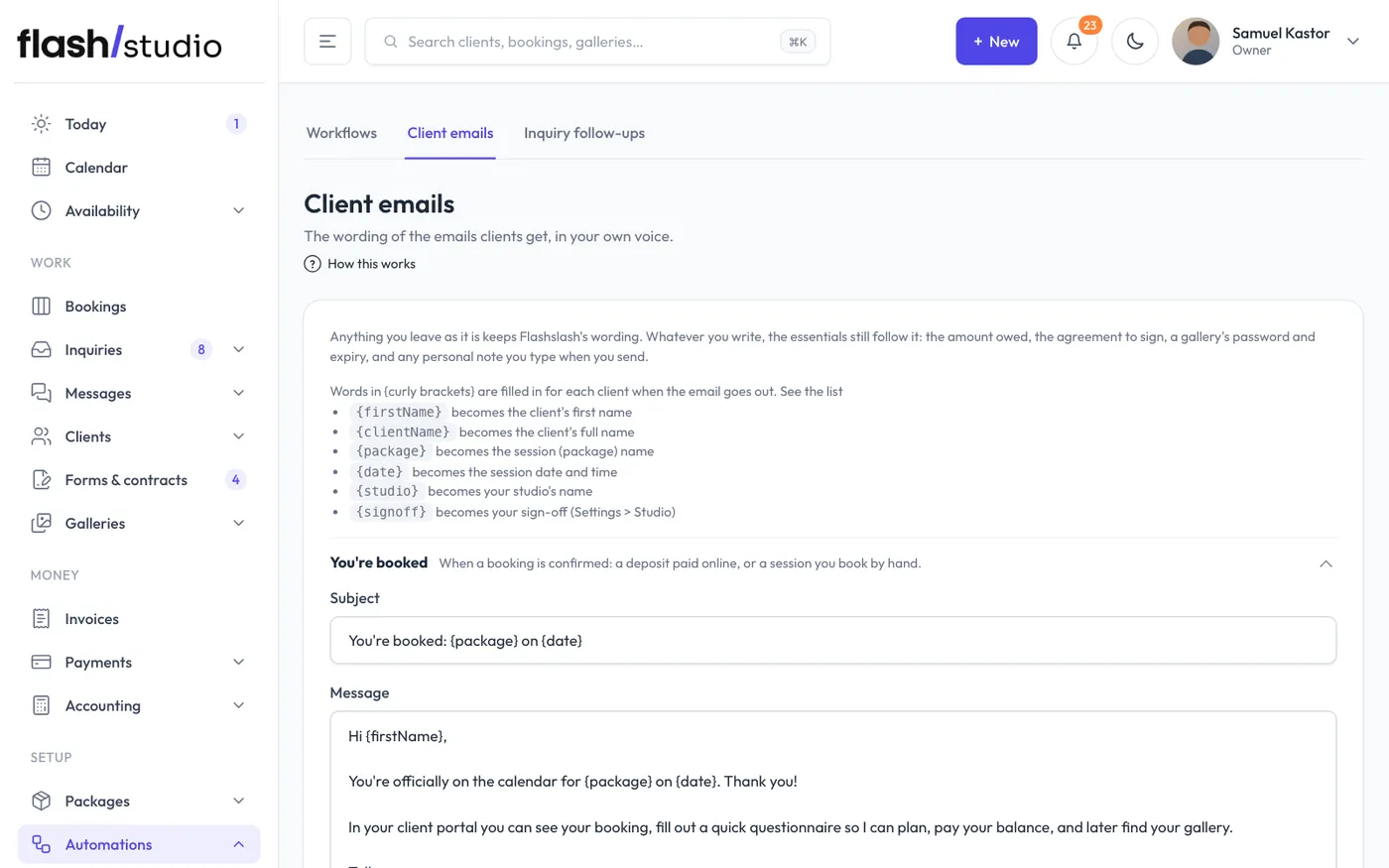
The emails you can change
- You're booked: when a booking is confirmed, by a deposit paid online or a session you book by hand.
- Booking link: when you click Send booking link on an inquiry.
- Time held for them: when you hold a time for someone.
- Session moved: when you move a session, or the client reschedules in their portal.
- Session cancelled: when you cancel a session and choose to email the client.
- Balance reminder: payment links, reminders from Payments, and the automatic balance reminder.
- Questionnaire reminder: the Questionnaire reminder button on a booking.
- Your photos are ready: when you send a gallery.
- Review request: the Ask for a review button on a booking.
Editing one
- Click an email to open it. Each one says when it's sent.
- Change the Subject and Message.
- Click Save.
Emails you've changed are marked your wording. To go back, tick Go back to Flashslash's wording on that email and click Save.
Words that fill themselves in
Words in {curly brackets} are replaced for each client when the email goes out. Click See the list under the description to see them in the app.
- {firstName}: the client's first name
- {clientName}: the client's full name
- {package}: the session (package) name
- {date}: the session date and time
- {studio}: your studio's name
- {signoff}: your sign-off, from Email sign-off in Settings > Studio
Type them exactly as shown, brackets included.
Inquiry follow-ups have their own wording in Automations > Inquiry follow-ups. See Inquiry follow-ups.
Still have a question? support@flashslashapp.com