
Track jobs on the Bookings board
Move each booked session from Booked to Wrapped as the work gets done.
Bookings shows every confirmed session as a card in a column for its stage. It's where you see what needs editing, what's owed and what's done.
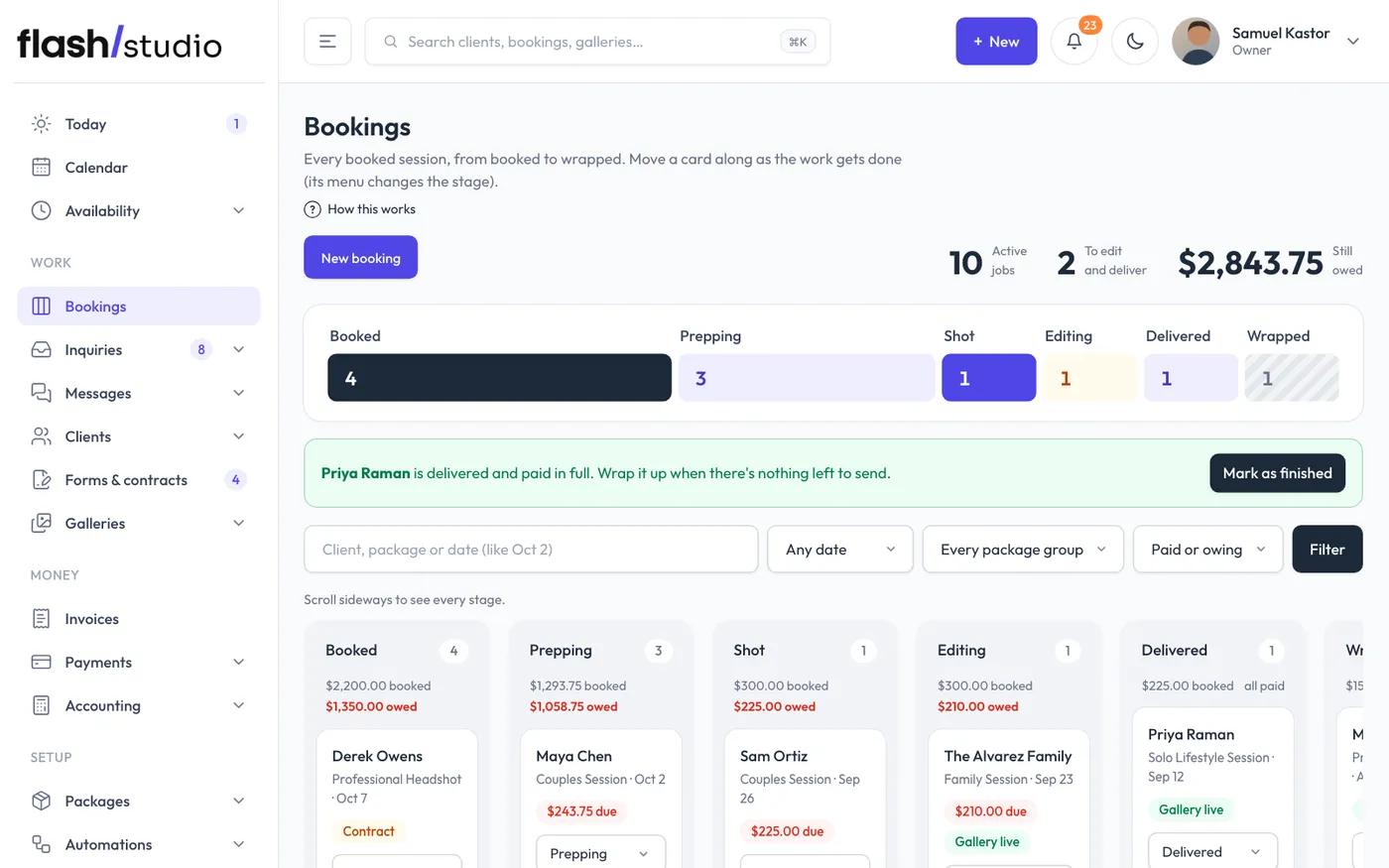
The stages
- Booked: every new booking starts here.
- Prepping: you're planning the shoot.
- Shot: the session has happened.
- Editing: you're working on the photos.
- Delivered: the gallery is with the client.
- Wrapped: the job is finished.
To move a card, use the stage menu on the card. You can also change the stage at the top of a booking's page, including a wrapped one.
Two things happen on their own:
- Sending the gallery to the client moves the booking to Delivered (if it was at an earlier stage). That's Send on the gallery, or Gallery is ready on the booking's page.
- Moving a booking to Wrapped marks it completed. Wrapped jobs stay on the board for 30 days. Moving a wrapped booking back to an earlier stage reopens it.
Wrapping up finished jobs
When a job is Delivered, paid in full and its session date has passed, Flashslash suggests wrapping it up. You'll see a banner at the top of the board with Mark as finished (or Mark all 3 as finished when there are several), a Mark as finished button on the card and on the booking's page, and an item under Needs you on your Today page. Nothing wraps on its own, in case you still have prints or an album to send.
Reading a card
Each card shows the client, package, date and days to go, plus flags. Click a flag to open what it's about:
- contract: not signed yet. Opens the contract.
- questionnaire: not answered yet (upcoming sessions only).
- An amount due: balance still owed. Opens the booking's Money section.
- gallery live: a gallery is published. Opens the gallery.
Each column shows the total booked and what's owed in it. The numbers at the top show active jobs, jobs to edit and deliver, and the total still owed.
Find a job
Search by client, package or date (like "Oct 2"), and filter by when (Upcoming, Already shot, Next 30 days or This month), package group, or Still owes / Paid in full. Click Filter, and Clear to reset.
New booking at the top adds a session by hand. On a small screen, scroll sideways to see every stage.