
Help center / Payments & money
Accounting: income, expenses and your year
Track expenses and other income next to your Flashslash payments for a simple profit and loss, and export it.
Accounting gives you a simple profit and loss for each year. Only owners and admins can see it.
What counts as income
- Bookings through Flashslash: every payment on a booking, by card or recorded by hand, less refunds, on the day it was paid in your studio's time zone. That includes invoices paid by card or marked paid.
- Gift cards sold: gift cards sold online, on the day they were sold.
- Other income you add yourself. A gift card you add by hand with an amount in They paid is added here for you.
Sample payments from the demo data never count. Money paid with a gift card isn't counted again.
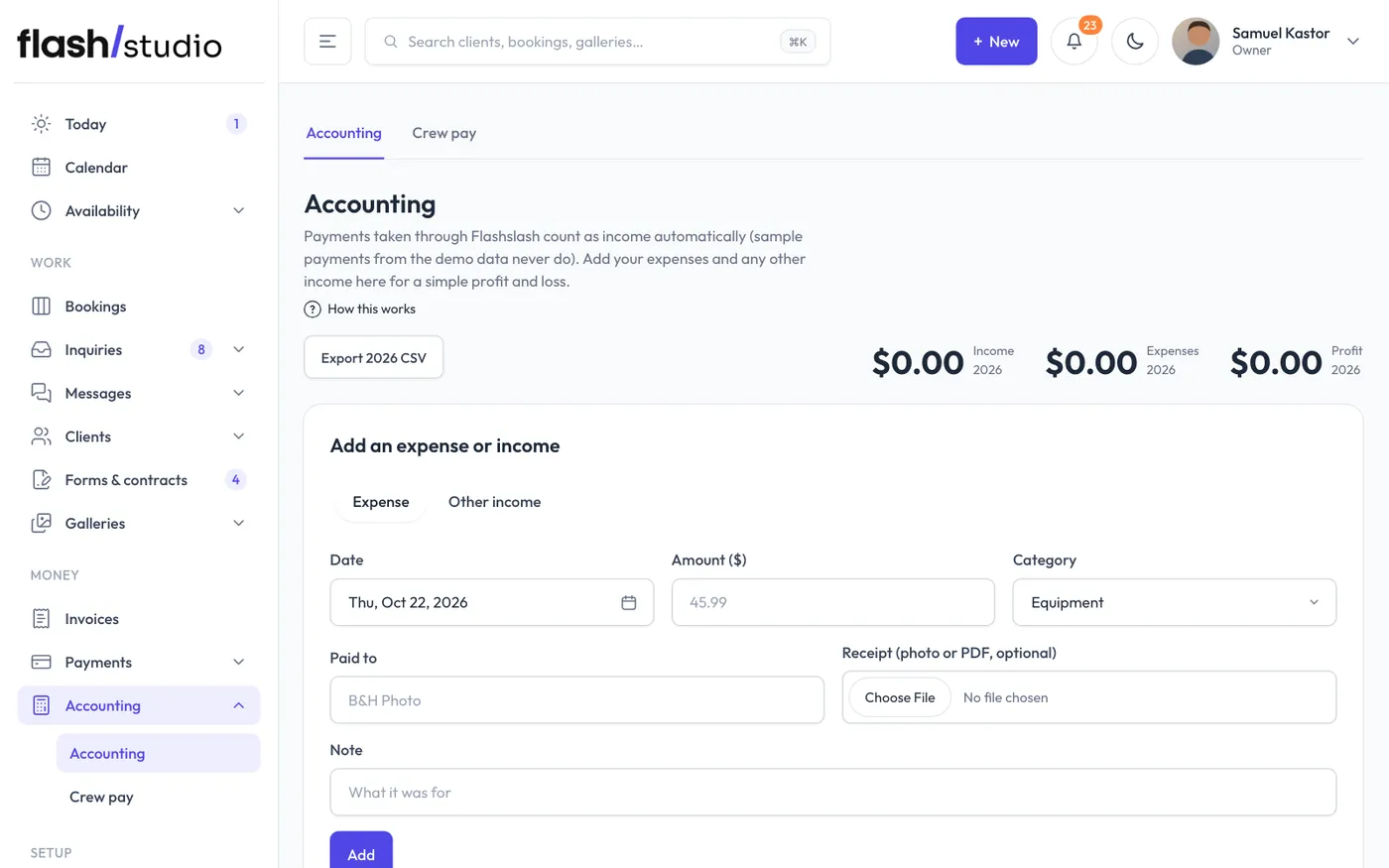
Add an expense or income
- Under Add an expense or income, choose Expense or Other income.
- Enter the Date and Amount ($).
- Pick a Category. Expense categories include Equipment, Software and subscriptions, Editing and outsourcing, Travel and mileage, Marketing and ads, Bank and payment fees, and more. Income categories are Sessions (paid outside Flashslash), Prints and products, Workshops and mentoring, and Other.
- Fill in Paid to (or Received from) and a Note if you like.
- Optionally attach a Receipt (photo or PDF, optional): a photo (JPEG, PNG or WebP) or a PDF, up to 4 MB.
- Click Add.
When you add income, the form reminds you that payments recorded on a booking already count.
Crew pay you've marked paid isn't added for you. Add it as an expense if you want it in your profit and loss (see Crew pay).
Your year
- The top shows Income, Expenses and Profit for the year.
- Profit and loss by month shows bookings, other income, expenses and profit for each month, with totals.
- Expenses by category and Income by source show where the money went and came from.
- Entries in the year lists everything you've added. Click Receipt to open one, or Edit to change an entry (Save changes) or delete it (Delete entry, click twice).
Switch years with the year tabs at the top, when you have more than one.
Export for your accountant
Click the export button at the top of the page. It names the year you're looking at, like Export 2026 CSV. Every line of the year, oldest first: date, type, category, who, note, amount, method, and whether there's a receipt. Expenses show as negative amounts.
Stripe's fees
Income from card payments is the amount the client paid, before Stripe's fees. To track those fees, add them as an expense under Bank and payment fees. Flashslash itself charges no transaction fee.