
Help center / For your clients
Buying and using a gift card
How to give someone a session, and how to spend a gift card you've received.
If your photographer offers gift cards, you can buy one on their website and give it to someone. It's paid online and sent by email.
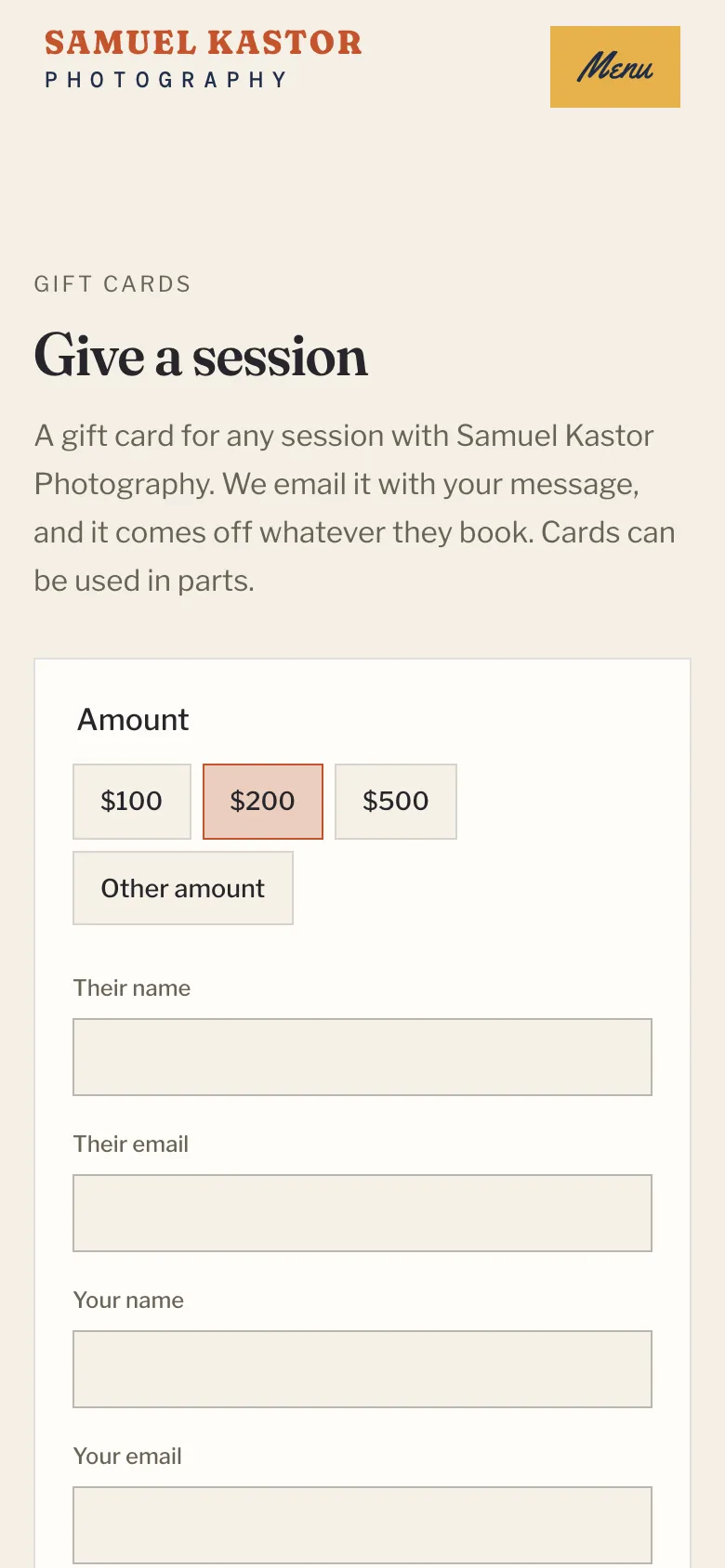
Buying a gift card
- Go to the Gift cards page on your photographer's website.
- Choose an amount, or Other amount if you'd like to type your own.
- Add their name and email, your name and email, and a message if you like.
- Choose when it goes out (see below).
- Click the Pay button (it shows the amount) and complete the secure checkout.
When it's sent
- Right away. Leave Send it on empty. As soon as you've paid, the gift card and your message are emailed to them, and you get an email saying it's on its way.
- On a day you pick. For a birthday or a holiday, choose a date under Send it on. We email it to them on the morning of that day. You get an email straight away saying when it goes out, and another when it's sent.
- To you, to give in person. Tick Send it to me, so I can give it in person. The gift card comes to your email as soon as you pay, ready to print or copy the code into a card.
Stripe sends your receipt for the payment separately.
Received a gift card?
Your email shows your code. It looks like GIFT-7K3M-QX9P.
Using it when you book
Click Book a session in the gift card email, and the code is filled in for you. Or type it into the Gift card box on the booking page and click Apply.
- If the card covers the whole deposit, there's nothing to pay today. Anything left on the card comes off your balance.
- If it doesn't cover the deposit, you pay the deposit by card and the gift card comes off your balance.
Using it on your balance
Already booked? Open your client portal, click Have a gift card? under your session, type the code, and click Use it.
Using it in parts
You don't have to spend it all at once. Whatever isn't used stays on the card for your next session.
If a code doesn't work
Check it against the email. Letters like O and I aren't used, so a code never mixes them up with 0 or 1. If it still won't work, get in touch with your photographer.