
Help center / For your clients
Choosing from your photographer's options
Opening a proposal, comparing the options side by side, and booking the one you choose.
Sometimes your photographer sends you a few options to choose from, like two or three session packages, before you book. This is called a proposal.
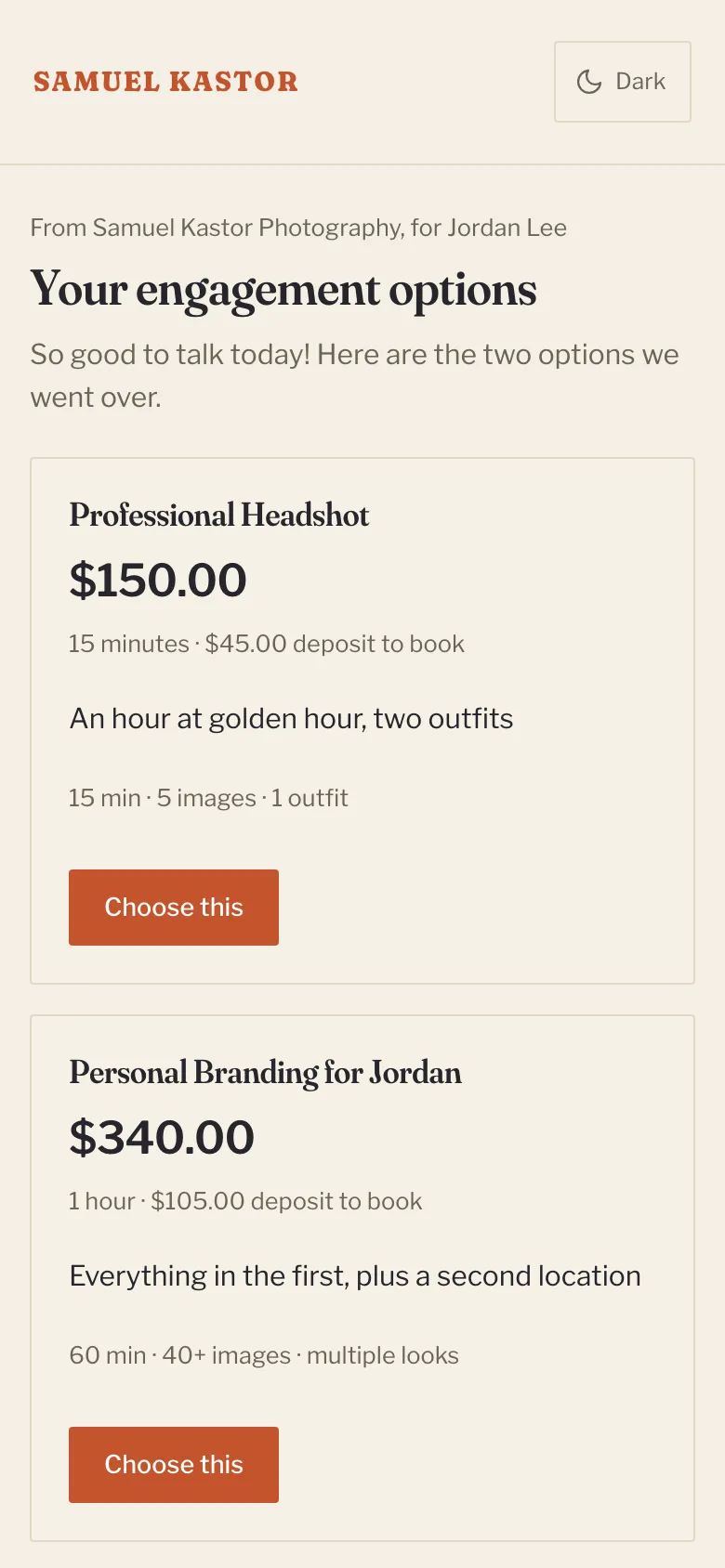
Opening it
Open the email from your photographer and click See your options. The page shows their note to you and each option side by side, with:
- the price, how long the session is and the deposit to book
- a note from your photographer about that option, if they added one
- a description of what's included
If you can only choose for a limited time, the page says until when. No time is held for you until you book.
Choosing one
- Click Choose this on the option you'd like.
- The booking page opens with that session already picked.
- Pick a date and time, add your details and pay the deposit, the same as any booking. See How booking a session works.
Your photographer is told which option you chose.
Changing your mind
Until you've booked, you can go back to the email and open the options again. The one you chose says Continue booking this, and you can click Choose this on another one instead.
If the options have expired
The page says so, and the buttons go away. Reply to your photographer's email and they can send them again.