
Help center / For your clients
Your client portal and signing in
Your private page for everything about your session, and the ways to get back to it.
Your client portal is a private page on your photographer's website. It has everything about your session in one place: what's left to sign, fill in and pay, your photos, and a way to move your session.
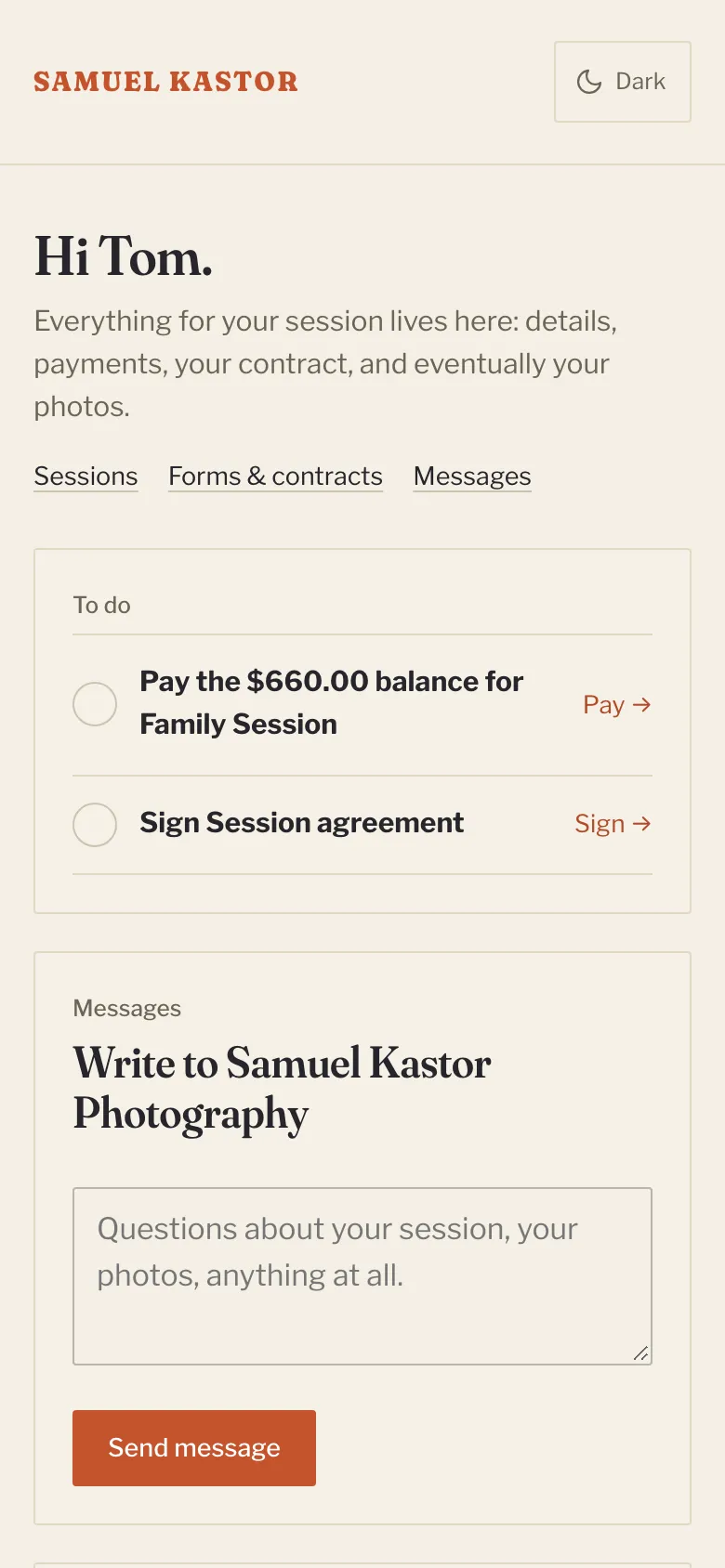
What's in your portal
- Upcoming session: the date, time, place and how many days to go, with a checklist: deposit, contract, questionnaire and balance.
- Forms & contracts: anything your photographer asked you to fill in or sign, and copies of what you've already done.
- Your photos: your galleries, once they're ready.
- Before your session: tips from your photographer on getting ready.
- Past sessions.
Getting in
Your link. The email you got when you booked has a button to open your portal. That link is just for you, so please don't share it. Once you've opened it, your phone or computer remembers you for about two months.
An emailed sign-in link. Lost the email? Go to /portal on your photographer's website, type your email under Your email, and click Email me a sign-in link. Open the email and click Continue to my portal. The link works once, within 30 minutes. Check your spam folder if it doesn't arrive.
A password. If you'd rather use a password, set one first: in your portal, scroll to Your account and click Email me a link to set a password. Open that email, choose a password of at least 10 characters, and click Save password. After that, on the sign-in page, click Use a password instead, type your email and password, and click Sign in.
Forgot your password?
Sign in with an emailed link as above, then under Your account click Forgot it? Email me a link to choose a new one. You can also change it there with Change password.
Signing out
Click Sign out at the top of the portal. This is a good idea on a shared computer.
Light or dark
Your portal starts in light or dark to match your device. Use the sun or moon button at the top to switch.