
The Today page
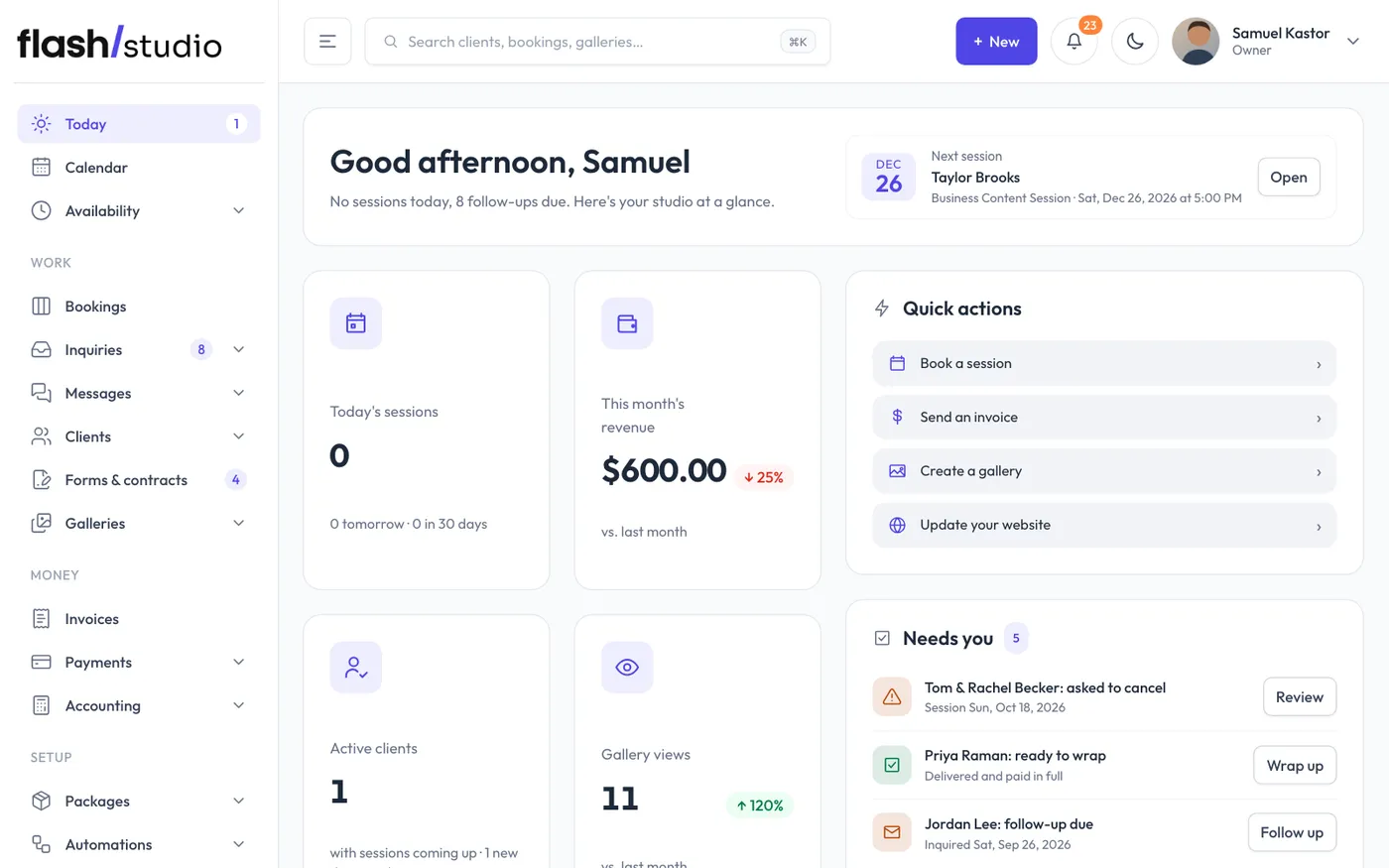
What the Today page shows: the setup guide, your numbers, upcoming bookings and what needs you.
Today is the first page you see when you sign in: your studio at a glance.
While you're setting up
New studios see the setup guide at the top of Today: the steps to get ready for real bookings. It goes away by itself once every step is done, or click Hide guide to put it away for good. See The setup guide.
What's on the page
- A greeting over one of your own website photos, with how many sessions you have today and how many follow-ups are due.
- Four numbers: Today's sessions (with tomorrow and the next 30 days), This month's revenue compared with last month, Active clients (clients with sessions coming up, and how many are new this month) and Gallery views. Click any of them to open its page. They appear once your studio has its first booking.
- Upcoming bookings: your next five sessions, each marked unsigned, with the amount due, or confirmed. View all opens the list on Calendar.
- Calendar: this month, with a dot on each day that has a booked session. Click a day to open it on Calendar.
- Quick actions: Book a session, Send an invoice, Create a gallery and Update your website.
- Needs you: clients who signed but didn't pay their deposit (with a Send pay link button), bookings that need a decision, clients who asked to cancel, declined contracts, jobs delivered and paid in full that are ready to wrap, and follow-ups due. It only shows when there's something to do.
- Recent inquiries and Recent galleries, each with View all.
- Revenue overview: money received by month for the last six months.
Money figures are only shown to people whose role can handle payments. Others see To edit and deliver (sessions shot or being edited) in place of revenue.
Still have a question? support@flashslashapp.com