
How a client books online
What happens from the booking page to a confirmed session, and how to share a link to it.
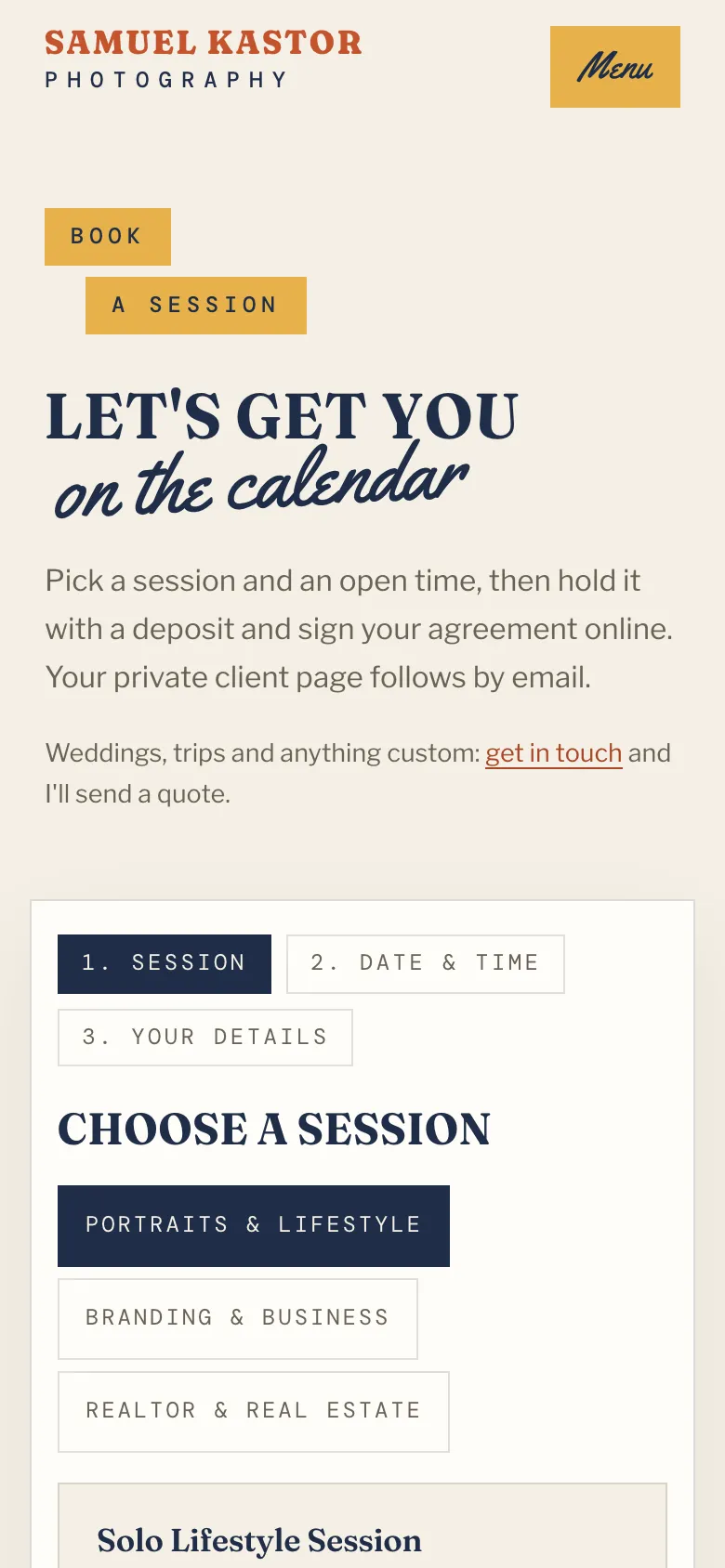
Your booking page lives at /booking on your website. It walks the client through three steps: Session, Date & time and Your details.
What the client does
- Choose a session: they pick a package. Groups show as tabs.
- Pick a date & time: highlighted dates have open times for that package.
- Your details: name, email, phone (optional), what you're shooting, location and notes. If you offer add-ons, discount codes or gift cards, those fields appear here too.
- They check the summary (total, deposit due today, balance) and go to Stripe to pay the deposit.
The time is held for them for 30 minutes while they pay. If they cancel checkout or don't finish, the time is released.
Sign the contract before paying
To have clients sign before they pay, go to Availability > Booking rules and tick Clients sign the package's contract before they pay the deposit, then save. Signing then becomes the last step of booking: the client signs the package's contract, and signing opens the deposit payment. Packages without a contract book as usual.
If someone signs but doesn't pay, they get one reminder email on their own, and the booking shows under Needs you on your Today page as "signed, deposit not paid". Click Send pay link there to email them again.
With the box unticked, the contract is sent to their portal after they pay.
What happens after the deposit is paid
- The booking is confirmed and the client sees "You're booked".
- The client gets a "You're booked" email with a link to their client portal. There they can see the booking, fill in the questionnaire and pay the balance.
- Every contract set to Send automatically when someone books (in Forms & contracts) is sent to their portal to sign, unless they already signed it while booking. If none is set, the booking's page says so.
- A client record is created or matched by email.
- You get a notification, and an email if you've set a notifications address.
- Any open inquiry from the same email is marked Booked, and they come off that package's waitlist.
- If Google Calendar is connected, the session goes on your calendar.
The questionnaire isn't emailed separately. Use Email questionnaire reminder on the booking's page to nudge them.
If the time was taken during checkout
Rarely, a deposit arrives after someone else took the time. The booking is marked needs attention and the client is told you'll be in touch. See A booking's page.
Share a link to one package
On Packages, click Copy booking link next to a bookable package. The link opens your booking page with that session already chosen. Use it in emails, DMs or your bio.