
Team roles: Owner, Admin, Staff, Assistant, Editor and Shooter
What each of the six roles can see and do, so you can give everyone the right access.
Everyone on your team has their own login and one of six roles. The role decides which menus they see and what they can change. When you invite someone, the list under Role sums up each one.
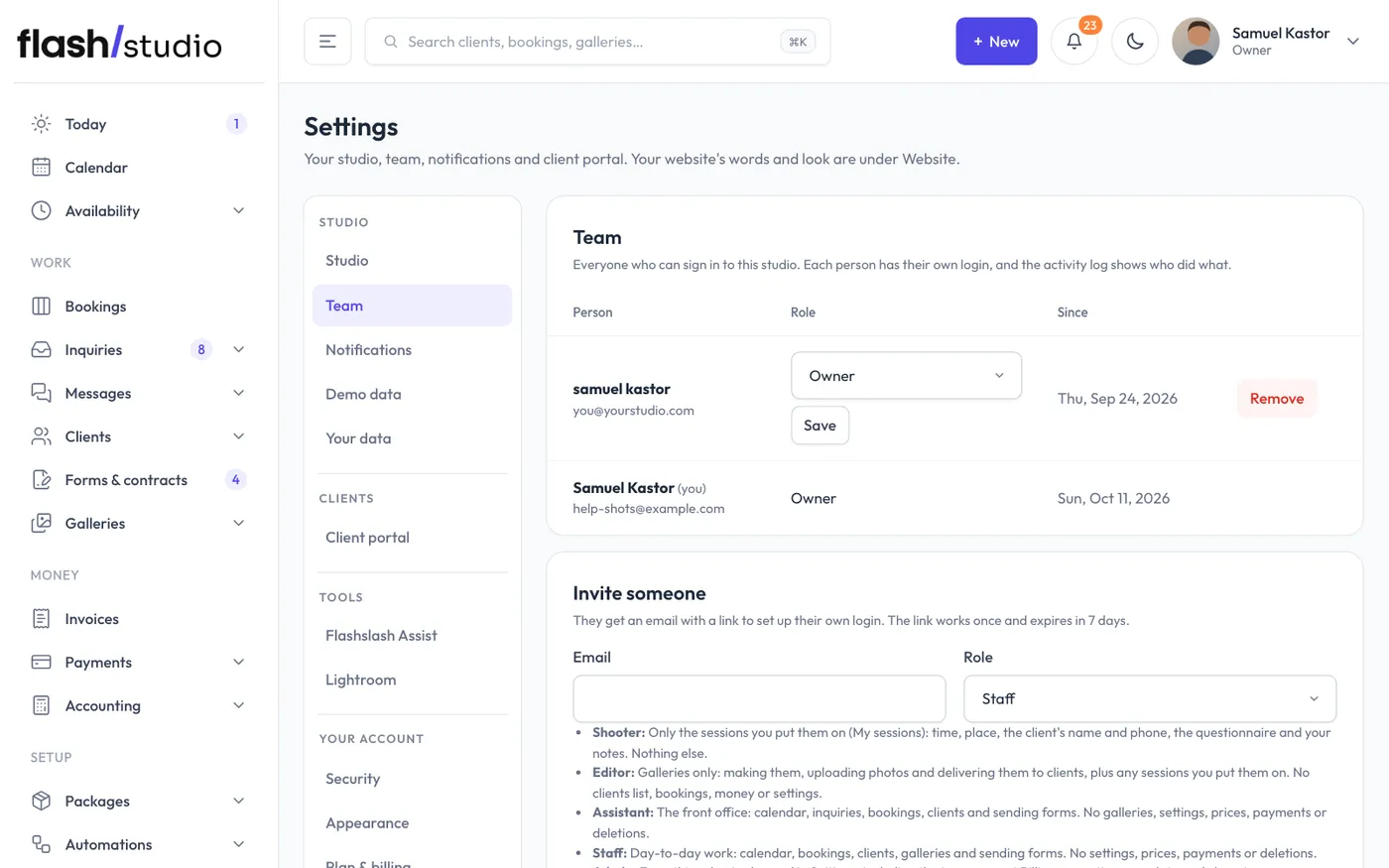
Owner
Everything in the studio, plus:
- Plan & billing: your Flashslash plan, card, invoices, storage and extra seats.
- Your data (exporting everything), and cancelling or deleting the studio.
- Making someone an owner, and changing or removing another owner.
A studio always has at least one owner.
Admin
Everything an owner can do except billing, exporting data and anything to do with owners. Admins can:
- Change packages, mini sessions, automations, prices and payments, crew pay, gift cards and accounting.
- Create and edit form and contract templates.
- Delete clients and galleries.
- Edit the website (the builder, design, blog and web address) and send newsletters.
- Change Settings, and invite, change and remove everyone except owners.
- See the activity log.
Staff
Day-to-day studio work:
- Today, Calendar, Bookings, Inquiries, Messages, Clients and Galleries.
- Sending forms and contracts, and Sent emails.
- Availability and Waitlists.
- Website visits.
- Putting team members on a session.
Staff don't see Packages, Mini sessions, Automations, Money, website editing or Settings, and can't delete clients or galleries. Their Your account page has only their own sign-in and how the admin looks.
Assistant
The front office. An Assistant has the same day-to-day work as Staff (calendar, inquiries, bookings, clients and sending forms) but no Galleries. Like Staff, they don't see settings, prices or payments, and can't delete anything.
Editor
For someone who edits and delivers photos. An Editor's admin is Galleries: making galleries, uploading photos and delivering them to clients. They can't delete galleries. They don't see the clients list, bookings, money or settings. If you put them on a session, My sessions shows in their menu too.
Shooter
For second shooters and contractors. A Shooter only sees My sessions (the sessions you put them on) and Your account. For each session they see the time and place, the package, the client's name and phone, the client's notes and questionnaire, your private notes, and their own pay if you've set it. They don't see prices, payments, client emails or anything else in the studio. See What shooters see.
Choosing a role
- A studio manager or partner: Admin.
- An assistant who handles bookings, clients and galleries: Staff.
- Someone who answers inquiries and books clients but doesn't touch photos: Assistant.
- An editor or retoucher who delivers galleries: Editor.
- Someone who only shoots for you: Shooter.
Anyone of any role can be put on a session. See Put someone on a session.