
Help center / Account & billing
Export your data
Download your records and full-size gallery photos any time.
Everything in your studio is yours. You can download it any time, and take it with you if you leave.
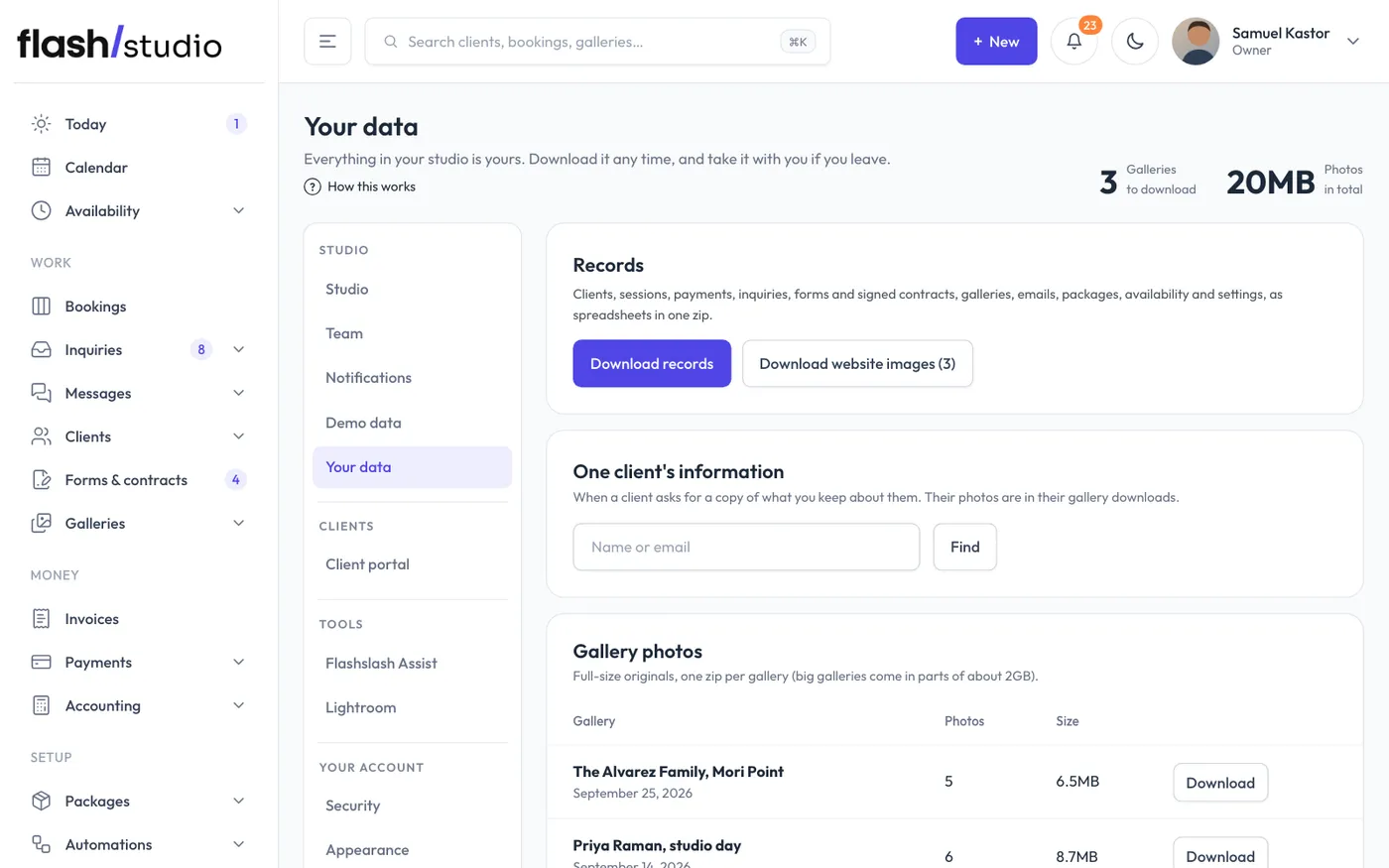
Go to Settings > Your data (or click Export your data first on Plan & billing). Only the studio owner can open this page. It stays open even if your plan has lapsed.
Records
Click Download records to get one zip file of spreadsheets. It includes clients, sessions, payments, inquiries, forms and signed contracts, galleries, emails, packages, availability and settings.
If you've uploaded images for your website, click Download website images to get those too. The button shows how many there are.
One client's information
When a client asks for a copy of what you keep about them, type their name or email under One client's information and click Find. Then click Download their data next to the right person. Their photos aren't in it; they're in their gallery downloads.
Gallery photos
The Gallery photos table lists every gallery with its number of photos and size. Click Download next to a gallery to get its full-size originals as a zip.
Big galleries come in parts of about 2GB each, shown as Part 1, Part 2 and so on. Download every part to get the whole gallery.
Privacy
The Privacy section on the same page holds your website's privacy notice, shown at /privacy on your site and linked from the footer and every form. It starts with standard wording filled in from your details.
- Change anything you like in Privacy notice. Lines starting with ## become headings.
- Under Delete old inquiries automatically, choose how long inquiries are kept, or Never, I'll delete them myself.
- Click Save.
Changed your mind about the wording? Click Go back to the standard wording. Flashslash also clears some things on its own: the text of sent emails and gallery activity after 24 months, and visit counts after 13 months.
Before you cancel or delete
Your data stays available while your studio exists, including while a plan is paused. If you're planning to delete your studio, download everything first. Once a studio is deleted, it can't be brought back. See Delete your studio.