
Help center / Account & billing
Your private calendar link
Subscribe to your own link in Apple Calendar, Google Calendar or Outlook, and your booked sessions show up and stay up to date.
Your private calendar link puts your booked sessions on the calendar app you already use, on your phone and your computer. It's a one-way subscription: sessions flow from Flashslash to your calendar, and update by themselves. To also block busy times from your own calendar, use Google Calendar sync instead, or as well.
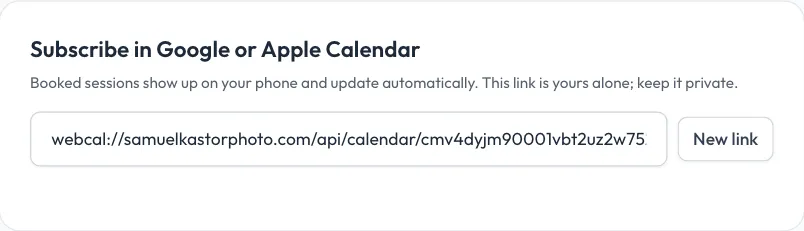
Find your link
- Owners, Admins, Staff and Assistants: go to Availability > Calendar connections and find Subscribe in Google or Apple Calendar.
- Shooters: go to My sessions and scroll to Add these to your own calendar at the bottom.
The link is yours alone. Each team member has their own.
Subscribe
- Copy the link from the box.
- In your calendar app, add a new calendar by subscribing to a link (some apps call it "from URL"), and paste it in.
- The new calendar is named after your studio, followed by "sessions".
Calendar apps check for changes on their own schedule, so a new or moved session can take a while to appear.
What's in it
- Owners, Admins, Staff and Assistants: every booked session in the studio, from 90 days ago onward, including ones already shot. Each one shows the client's name and the package, the place if you've set one, and the client's email and phone, their notes, and a link to the booking.
- Shooters: only the sessions they're put on, with the client's name and phone and a link to My sessions. No client email.
Open times, holds and cancelled sessions aren't in it.
If the link was shared by mistake
Anyone with your link can see your sessions, so keep it private. If it got out, click New link next to it. The old link stops working straight away, so subscribe again with the new one on each of your devices.
Your old calendar link
Calendars used to share one link for the whole studio. If that old link is still on, owners and admins see Your old calendar link still works next to their own link. Once everyone has subscribed with their own link, click Turn off the old link.